Like most websites, we use cookies to make our site work the way you expect it to, improve your experience on our site, analyze site usage, and assist in our marketing efforts. By choosing "Accept All Cookies", you agree to the storing of all categories of cookies on your device.
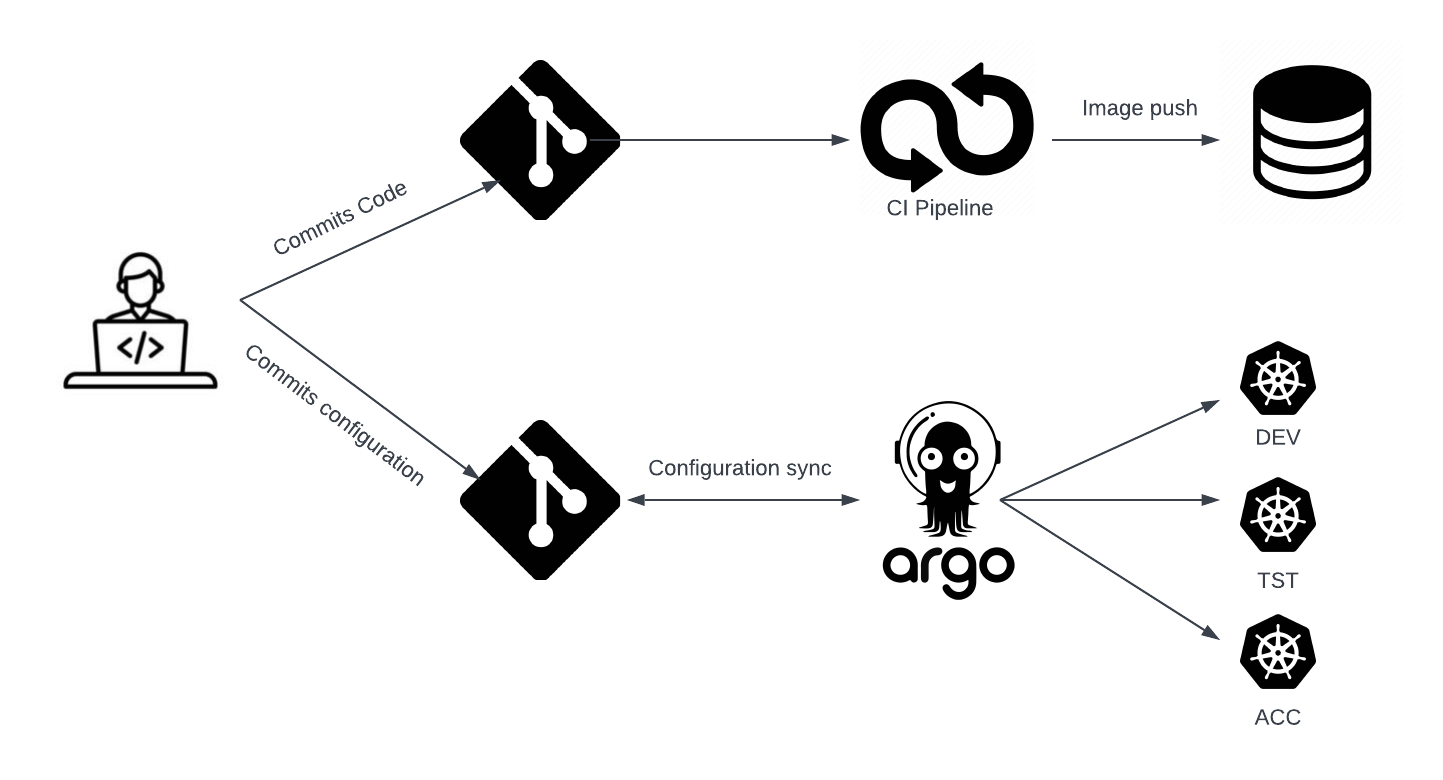
In today’s fast-paced software development landscape, the ability to deploy applications quickly, reliably, and consistently has become a critical competitive advantage. Traditional deployment methods often involve manual processes, imperative commands, and fragmented toolchains that can lead to configuration drift, deployment failures, and security vulnerabilities. This is where GitOps emerges as a transformative approach, treating Git repositories as the single source of truth for both application code and infrastructure configuration.
GitOps represents a paradigm shift in how we think about continuous deployment and infrastructure management.
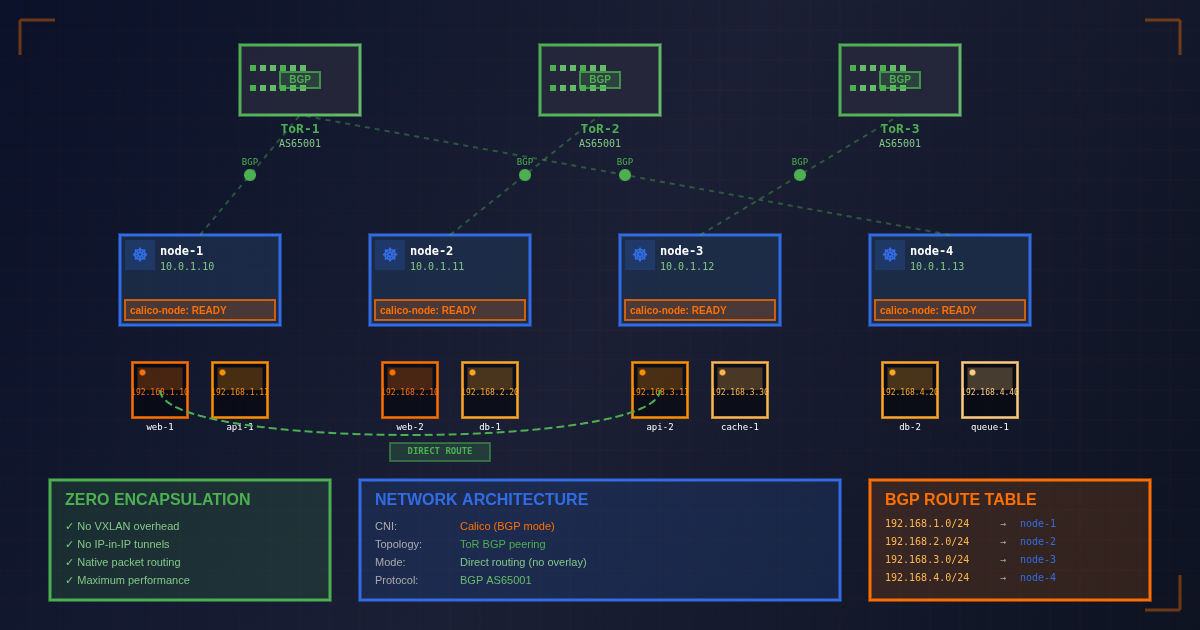
In the world of high-performance Kubernetes deployments, network overhead can become a significant bottleneck. Traditional overlay networks like VXLAN or IPIP add encapsulation layers that consume CPU cycles, introduce latency, and reduce overall throughput. For organizations running latency-sensitive applications or high-bandwidth workloads, every microsecond and every bit of throughput matters. This is where zero-encapsulation networking with Calico BGP and Top-of-Rack (ToR) switch integration becomes a game-changer.
Calico’s BGP mode eliminates overlay network overhead entirely by leveraging the Border Gateway Protocol to announce pod and node IP addresses directly to your network infrastructure.
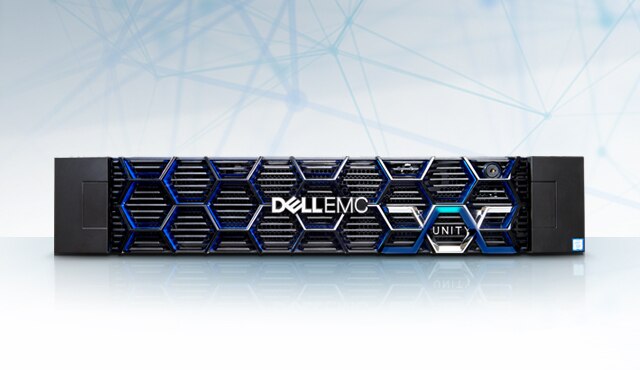
The Dell Container Storage Interface (CSI) Driver for Unity XT enables Kubernetes clusters to provision and manage storage volumes from Dell Unity XT arrays. This guide provides a comprehensive walkthrough for deploying CSI-Unity on a bare-metal Kubernetes cluster running Ubuntu 24.04, including multipath configuration and troubleshooting strategies.
Prerequisites Kubernetes cluster (version 1.27+) running on Ubuntu 24.04 Dell Unity XT storage array with: Management IP address accessible from Kubernetes nodes iSCSI or Fibre Channel connectivity configured Storage pools created and available Administrative access to Kubernetes cluster and Unity XT array Helm 3.
By the time you finish reading this article, you will know how to get your static websites up and running securely on AWS using Terraform. This can be a very cost-effective way of hosting a website.